
 Elara
 textr
 Wave
Time · Mail, calendar, notes
Forget nothing.More calm.
Time brings mail, calendar, notes and tasks to one calm place. For everything you otherwise keep in five programs and in your head. Our promise: forget nothing, more calm in your head, less work.

In the worksWhere we are
- Time is in the works, a prototype runs with us
- A calm start instead of a crowded overview
- Stonewave's calendar service already runs in the background
- No download yet
comingWhat Time should do
- A full mail program with any number of accounts from any provider
- A Stonewave calendar you can share with family and team
- Promises and open threads that remind you on their own
- Elara drafts replies and suggests dates
Watch
Calm first. Then the day.
Time first shows what counts today: promises that are waiting and the day in order. Not everything that is unread.
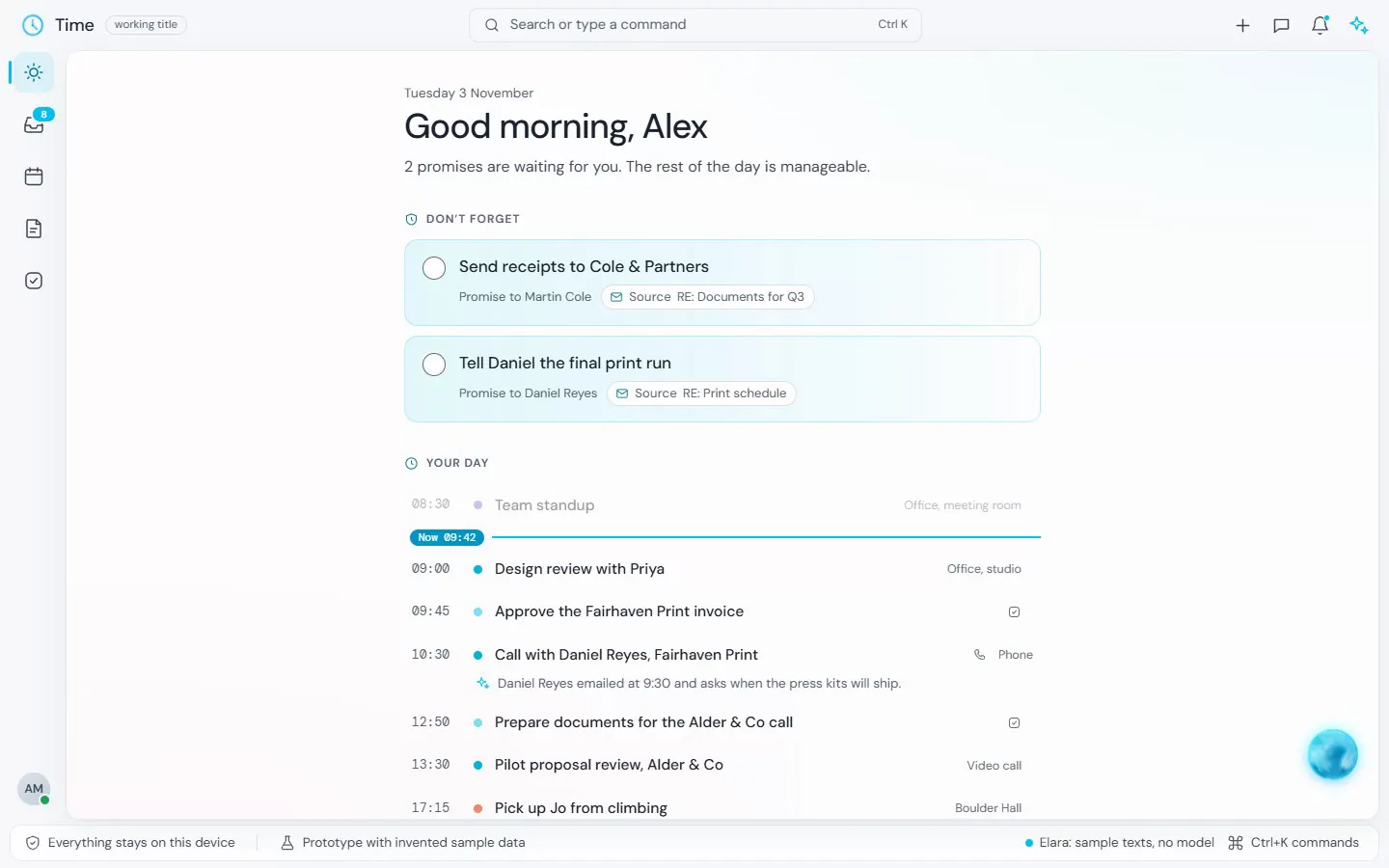
What Time does differently
Calm first. Then the rest.
A calm start
Time first shows you what matters today, not everything that is unread.
All accounts in one place
Private and work, several inboxes, one calendar. No more switching between programs.
Nothing slips through
What someone promised you and what you promised come back on their own, before it is too late.
More from the prototype
Mail, calendar, tasks.
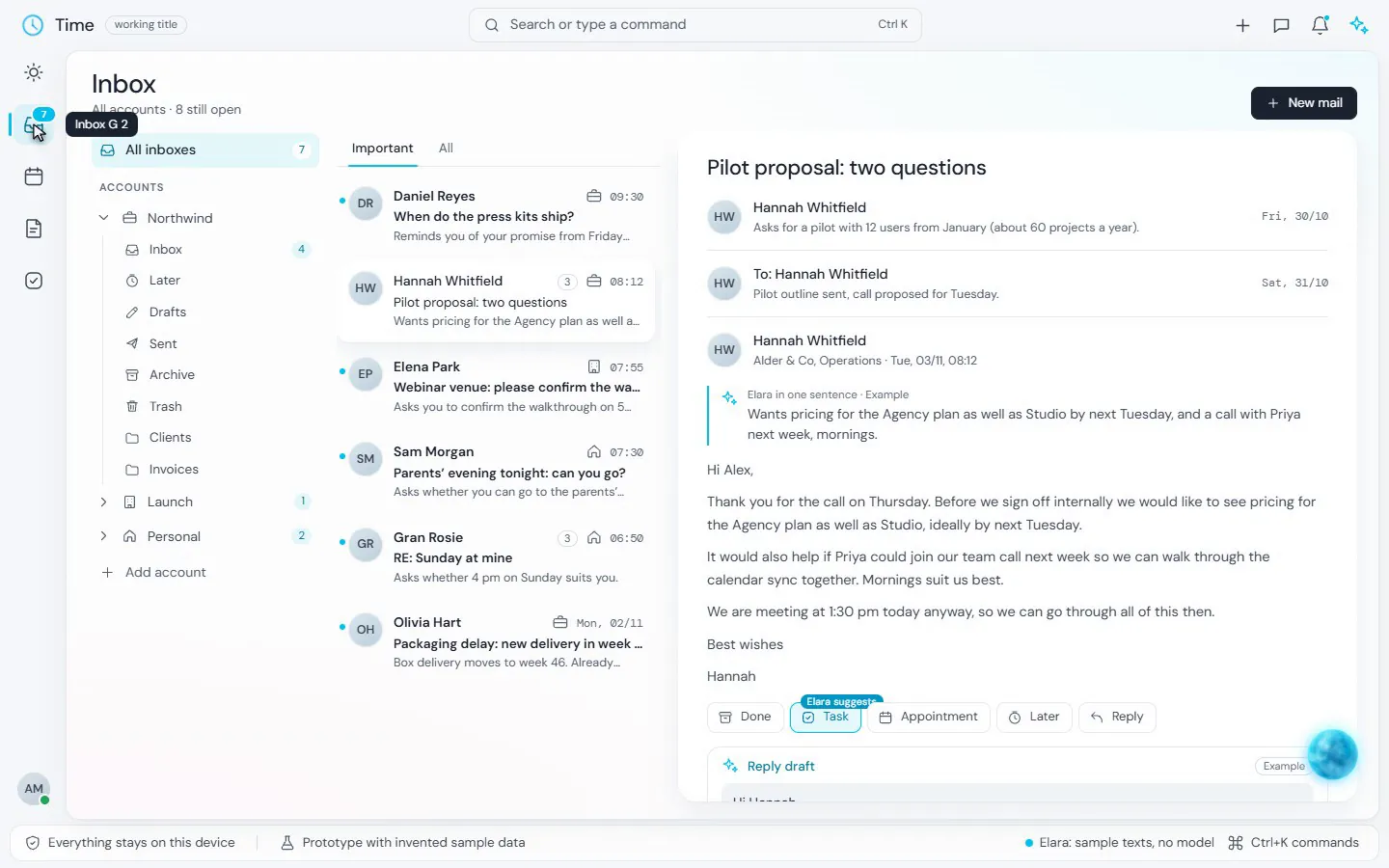
One email, one draft
A reply draft sits below the email. Nothing is sent without you. In the prototype the drafts are still sample texts, without an AI model.
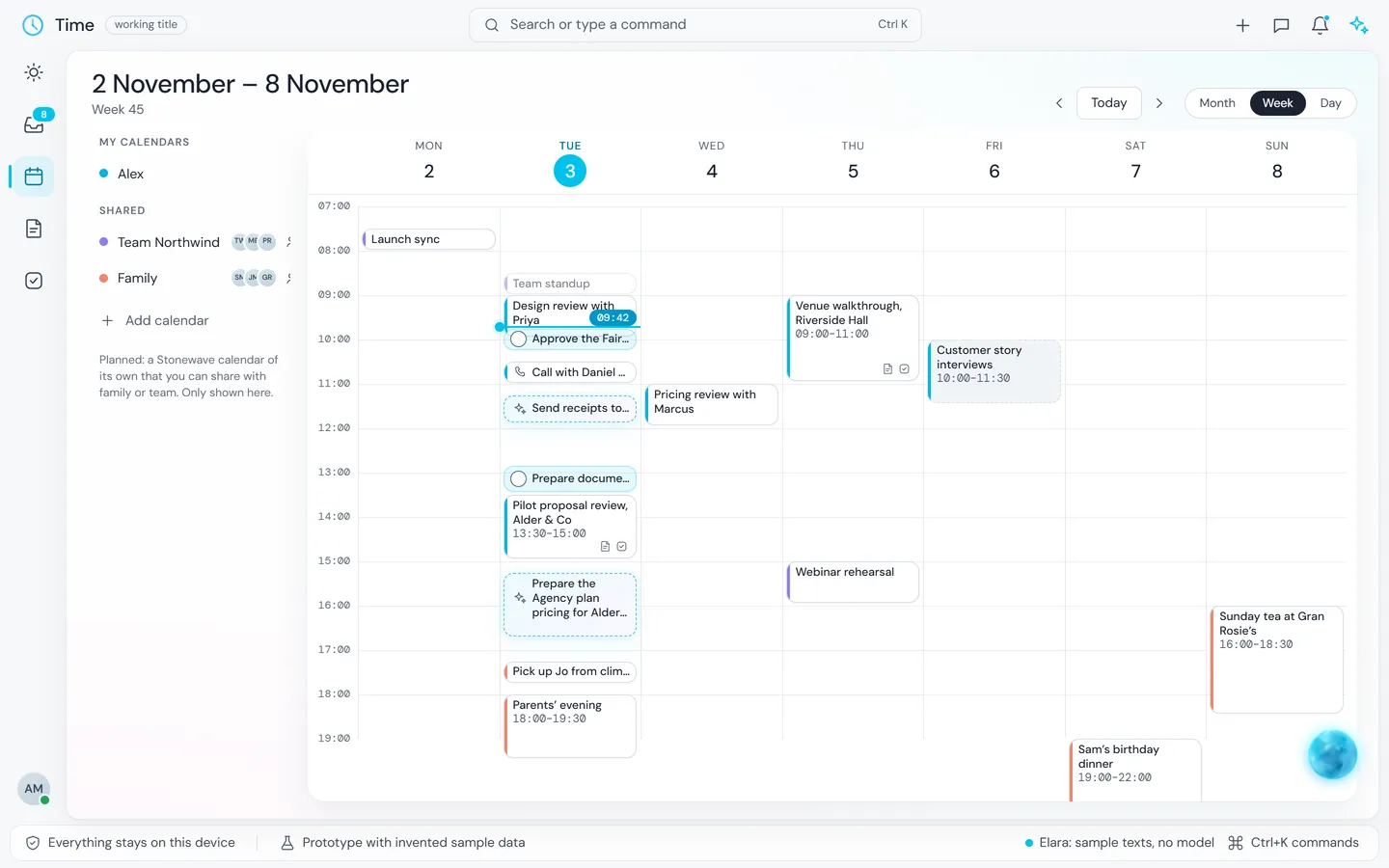
The week at a glance
Appointments and planned tasks share one grid. On the left you choose which calendars you see.
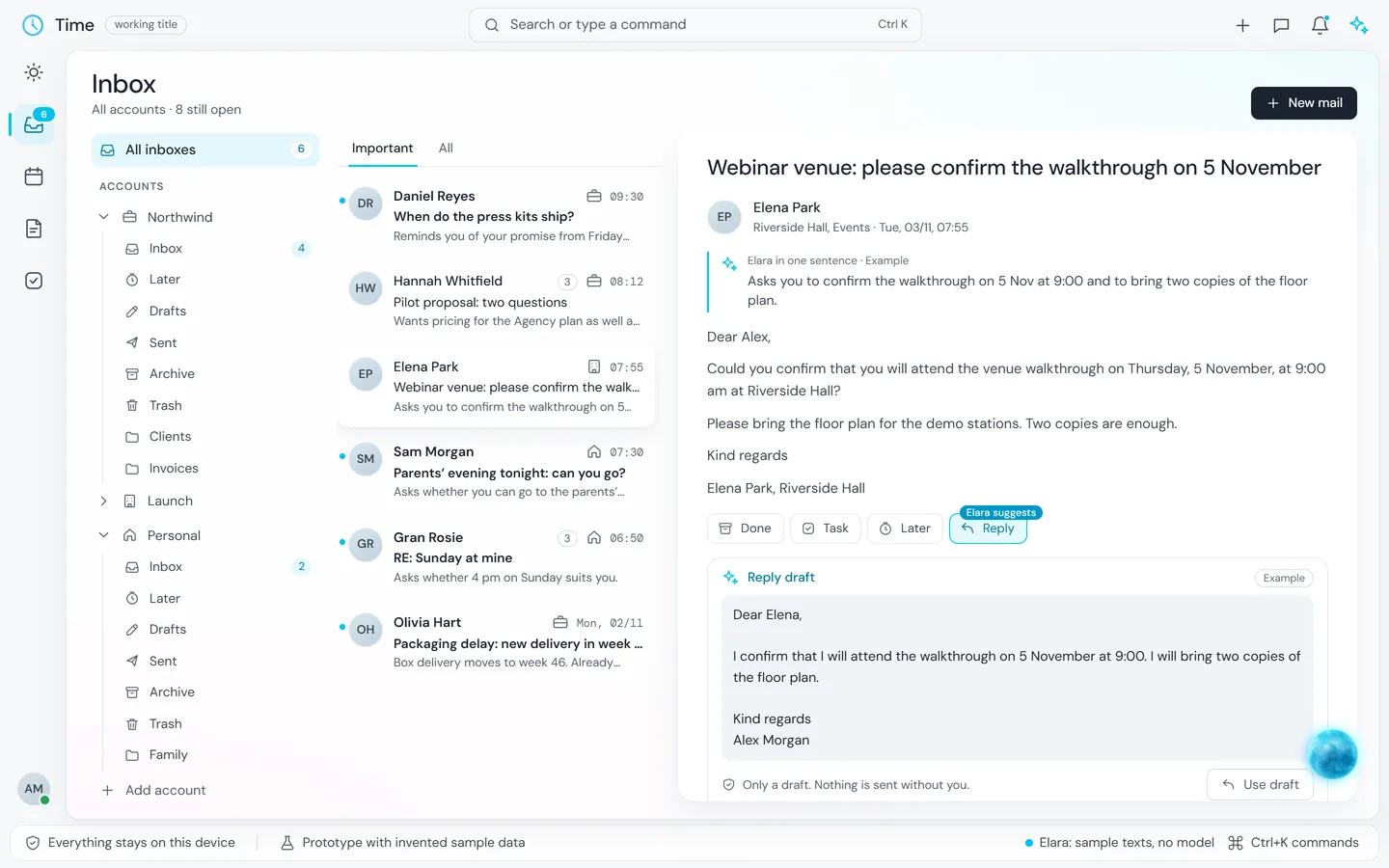
All inboxes in one place
Accounts and folders on the left, the emails in the middle, the open email on the right.
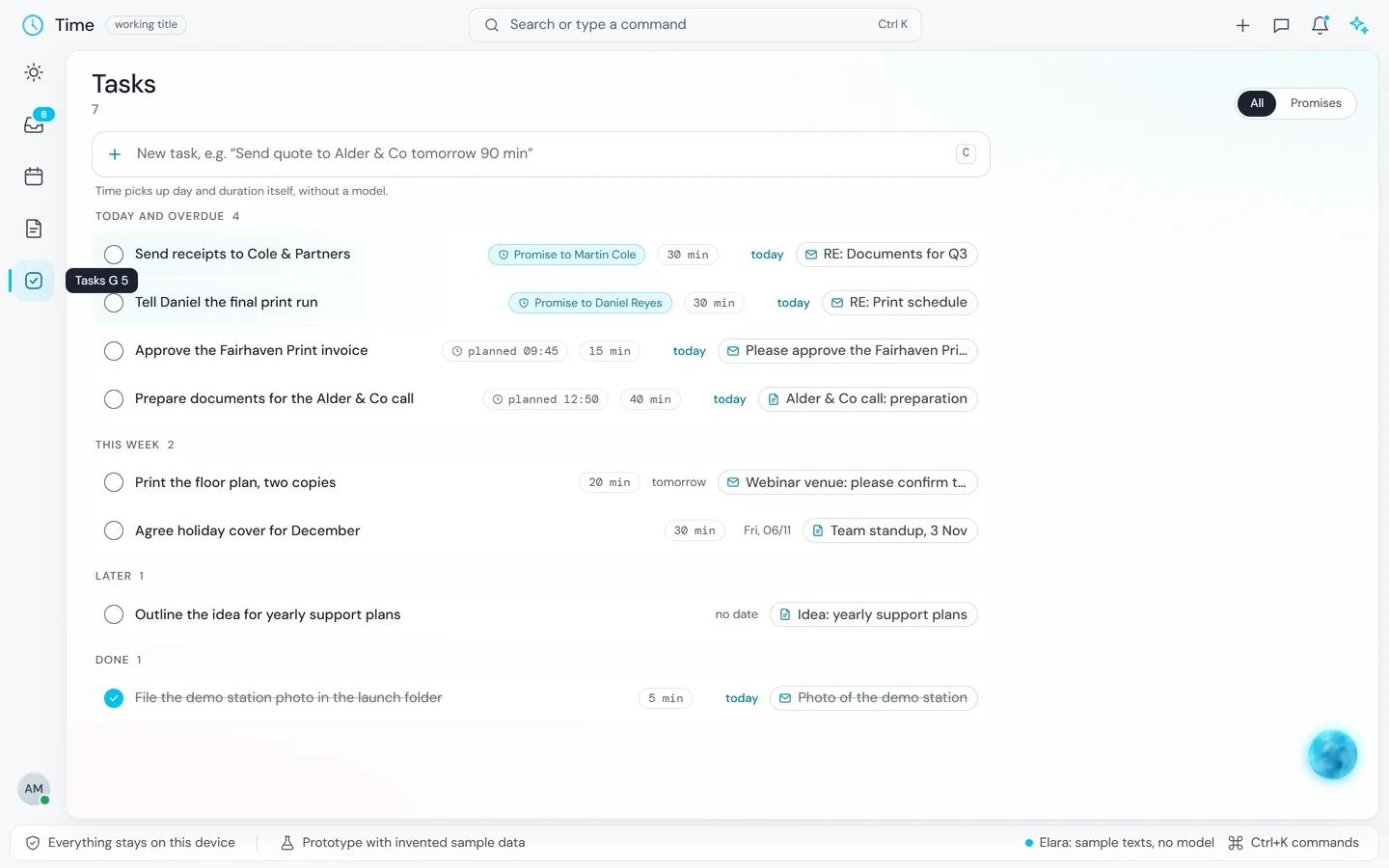
Tasks with promises
Next to what you want to do is what you promised someone, with the email it came from.
Prototype with invented sample data and sample texts, without an AI model. No download yet.
Hear when Time starts?
Create a Stonewave account. Time uses the same account and the same plan as every other app.
The other rooms