
 Elara
 Time
 Wave
textr · Writing & office
Write with an editorthat works with you.
textr opens Word, Excel, PowerPoint, PDF and Markdown files. The AI works inside the document: it suggests changes in place, you accept them with ✓ or reject them with ✕. Every change stays in a history you can bring back.

In testWorks today
- Word, Excel, PowerPoint, PDF and Markdown
- Assistant with tools, history to bring changes back
- Two panes side by side
- Talking to Elara (in test)
comingNot yet
- Editing together at the same time
- Lossless import of every Office feature
- Platforms other than Windows
- A public download
Watch
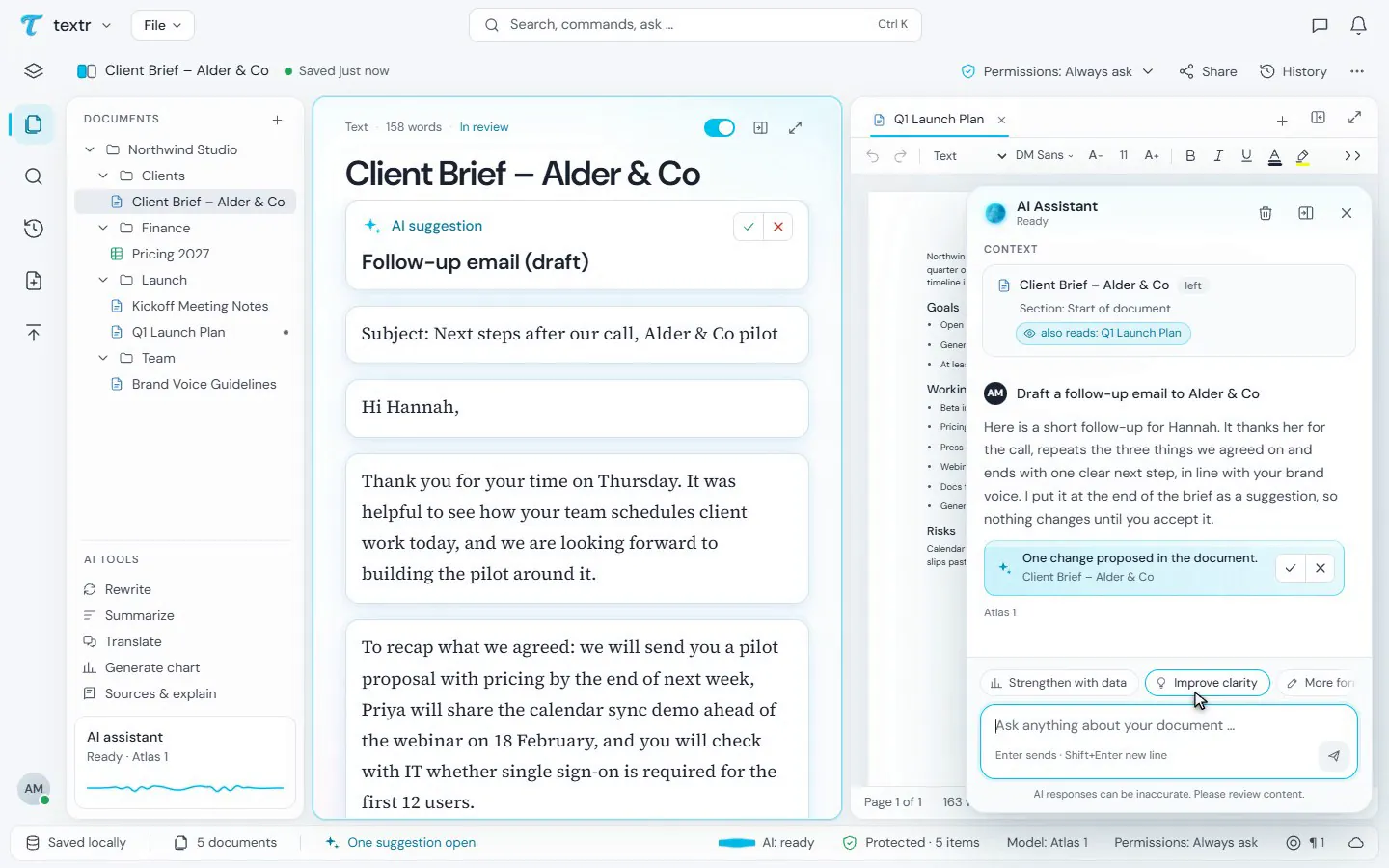
A suggestion. Your call.
The assistant drafts a follow-up email in the document. The change is marked; you accept it or undo it.
Four everyday tasks
Real work. Not just chat.
Answer a questionnaire
Open it, the assistant drafts the answers, you confirm each one.
Check a spreadsheet
textr flags error values, sums that skip a neighbouring number and numbers stored as text. You decide per cell.
Read a contract
Ask what a clause means; the answer points to the place. textr gives no legal advice.
Supplier questionnaire 2026
[PERSON_1]More from the app
Documents, sheets, one assistant.
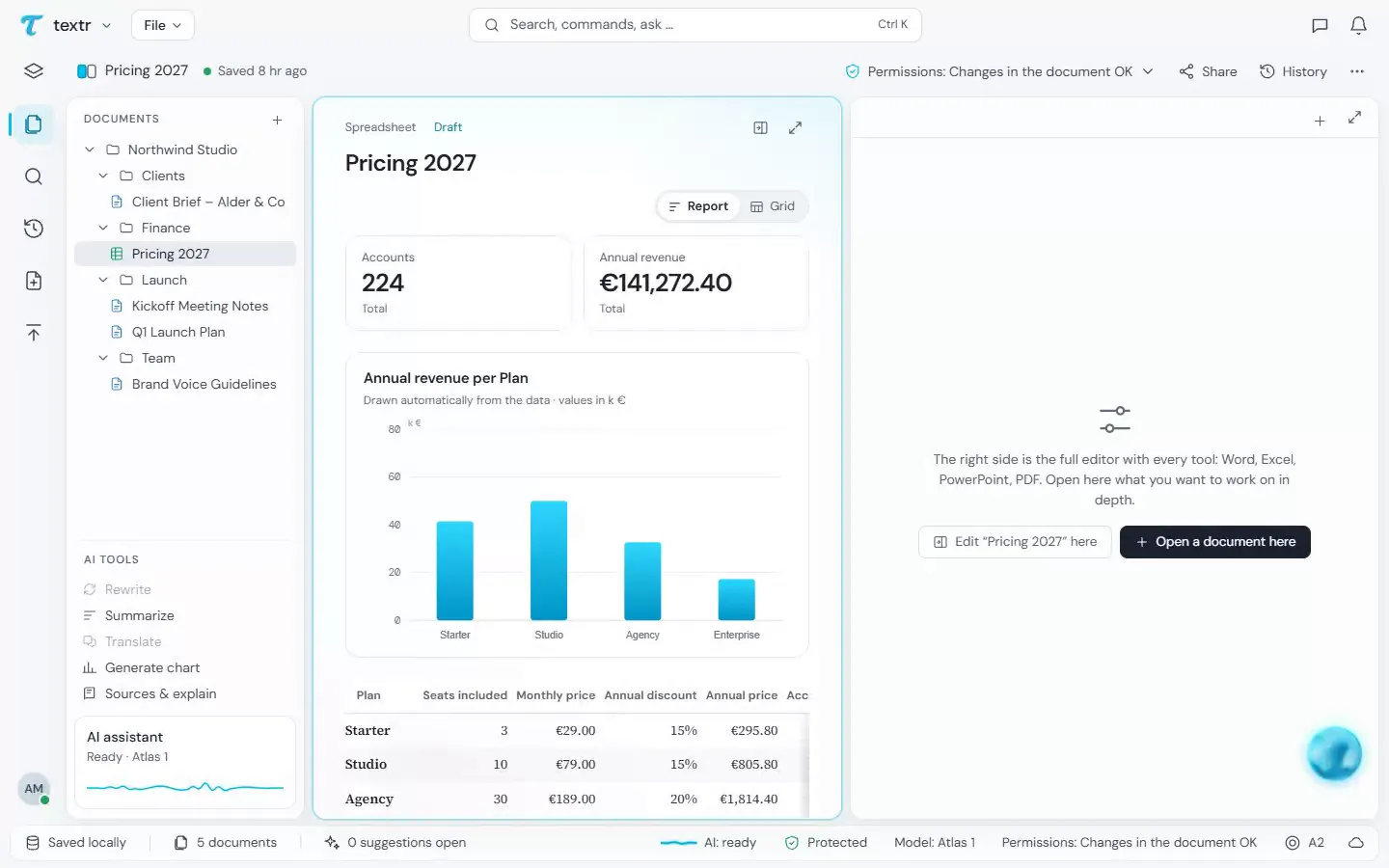
One sheet, two views
The same price sheet as a report with key figures and a chart, or as a grid to edit.
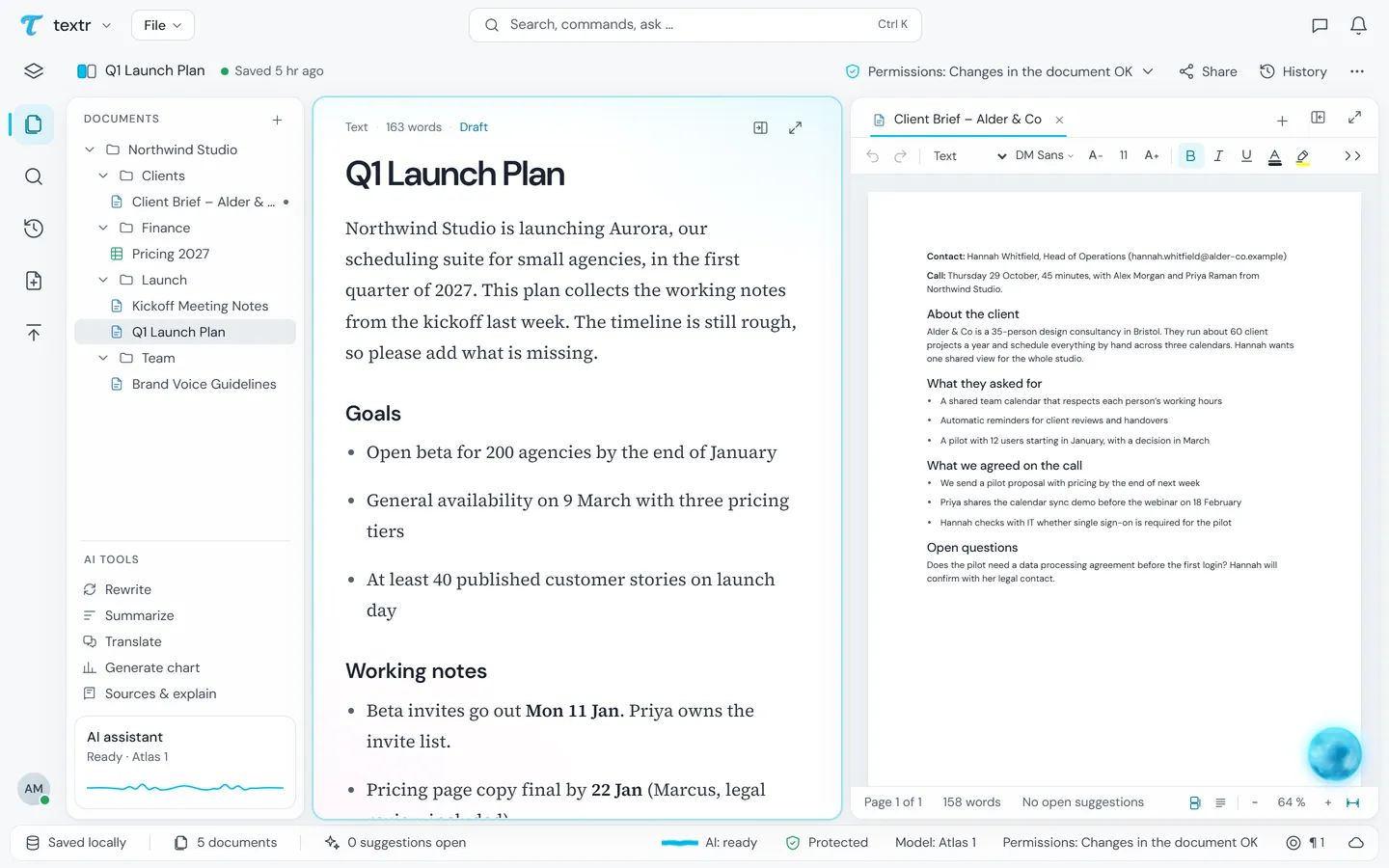
Two panes side by side
Documents in the tree on the left, two open side by side. At the bottom you see what is protected and which permissions the assistant has.
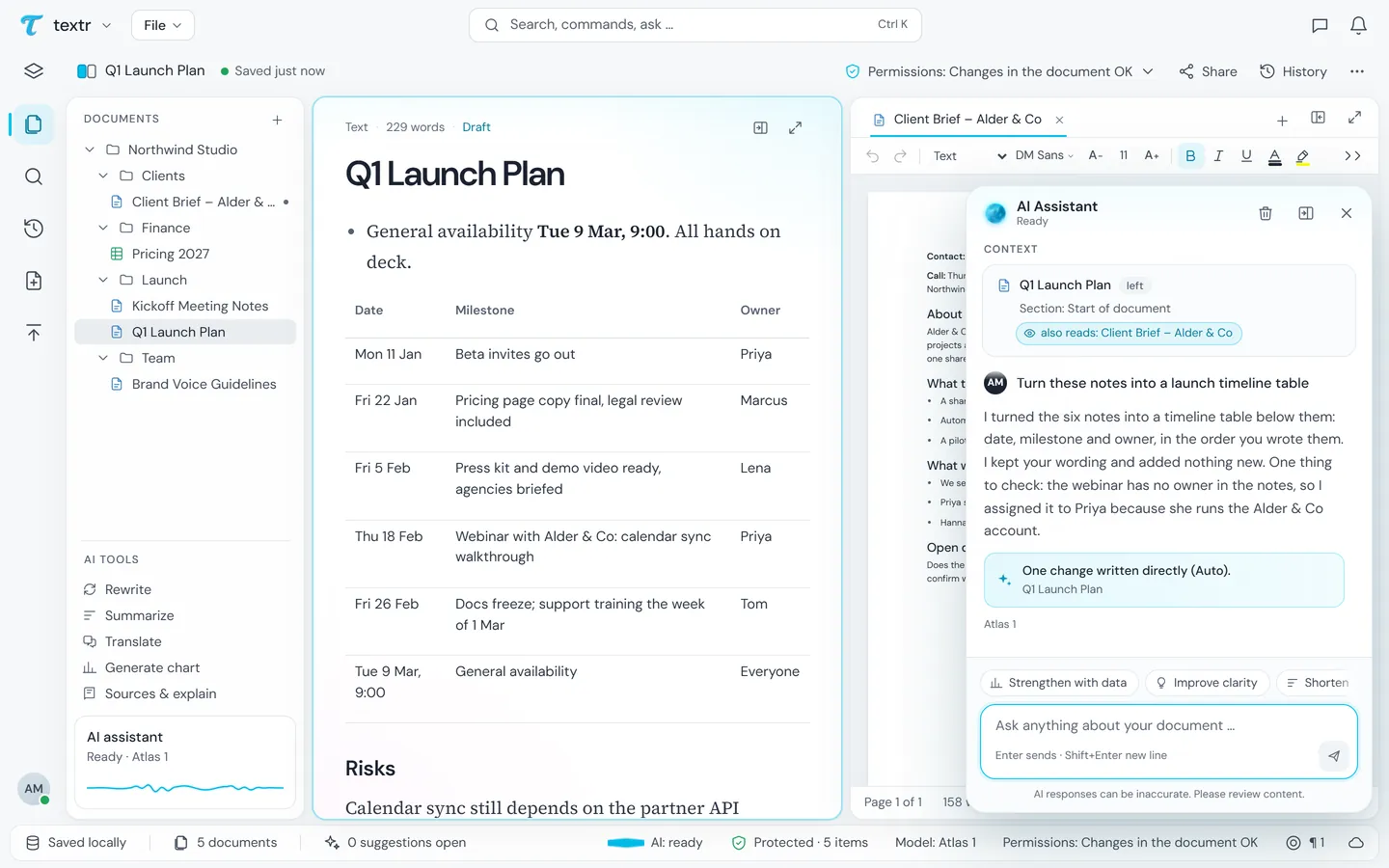
Notes become a table
The assistant builds a timeline from the working notes, right in the document, with date, milestone and owner.
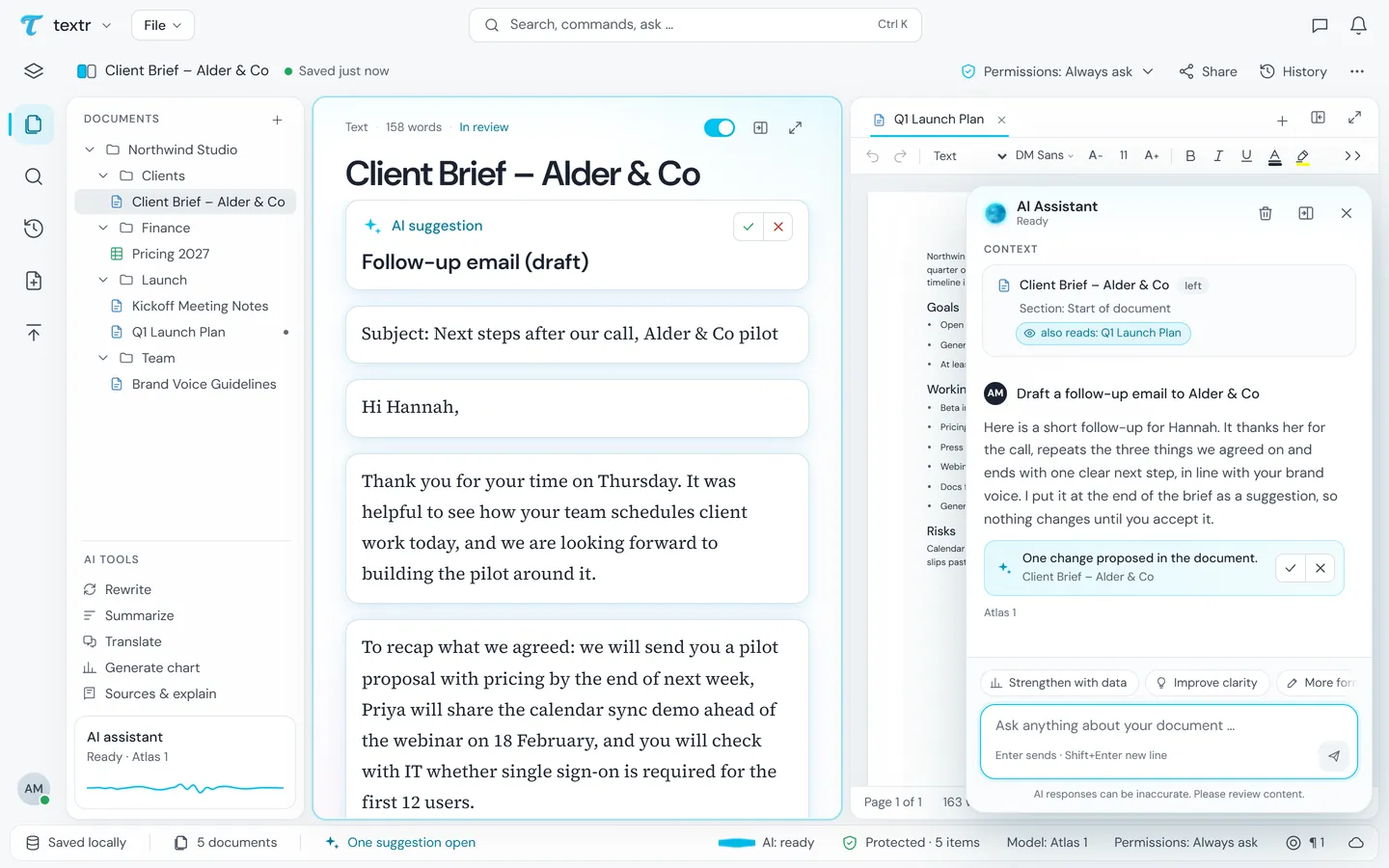
✓ accept, ✕ reject
Suggestions sit in the document, not in the chat. Nothing changes until you accept it.
The real app interface with invented sample data (Northwind Studio and Alder & Co do not exist); the answers are scripted.
Protected
What the model sees, and what you read.
textr finds names, addresses, IBANs and the like and replaces them with placeholders such as [PERSON_1].
Only the text with placeholders. We request zero data retention; that is the provider's commitment, not a guarantee.
The answer with the real details put back, and a note of what was protected. This does not catch every name: we measure it and publish what we find.
Try textr?
Create an account. Invited testers use the AI right away; everyone else joins the waiting list and we open access step by step.
The other rooms