
 Elara
 textr
 Time
 Wave
Elara · AI colleague
Say it to Elara.She does it.
Elara is the AI colleague on your computer. You talk or type, she writes, looks things up and gets it done. She is the same everywhere, in textr, in Time and in Wave, and she tells you what she did.
In testIn test today
- Talk or type, with a key or the word “Elara”
- Interrupt her any time, even mid-sentence
- Sign in with your Stonewave account, AI without your own key
- Coding tasks under supervision; you approve the result
comingComing
- Elara in the cloud: always reachable, even when your PC is off, on your phone too
- A memory you can look at, correct and delete
- Mail and calendar through Time
- Driving other Stonewave apps directly, opening programs
Watch
You ask. She answers.
The orb shows what Elara is doing: listening, thinking, speaking. Afterwards the answer is there as text, too.
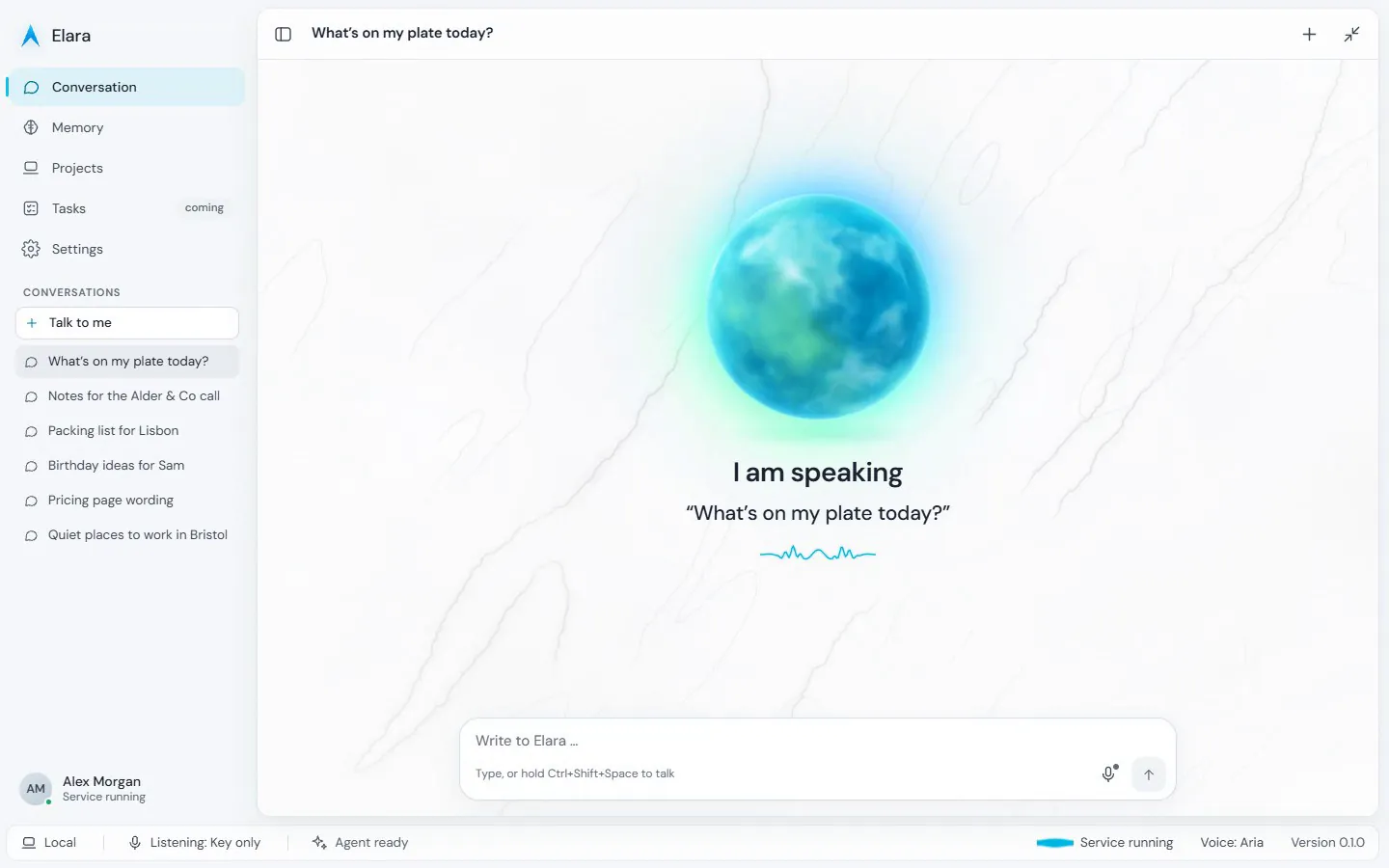
How she works
She suggests. You decide.
Ask first, then act
Before anything goes out or changes, Elara shows you the draft. It is sent when you say yes.
She shows what she does
Listening, thinking, writing: the orb shows her state, and at the end you see what she did.
The same Elara everywhere
Same name, same voice, in every Stonewave app. One account, one plan, one bar for usage.
In daily use
She works. You approve.
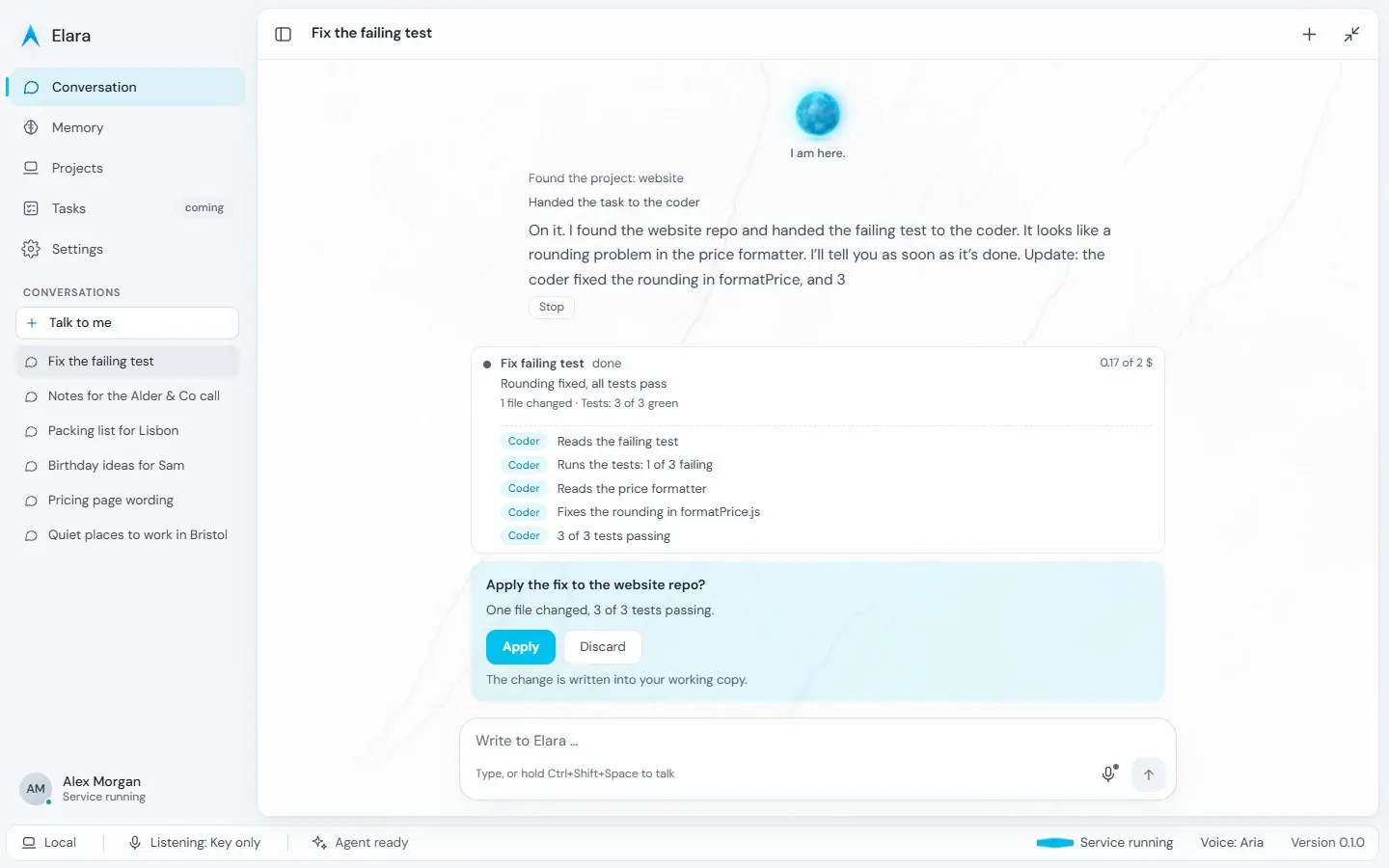
A coding task under supervision
Elara hands the task to the coder and shows every step. At the end she asks whether to apply the change: Apply or Discard.
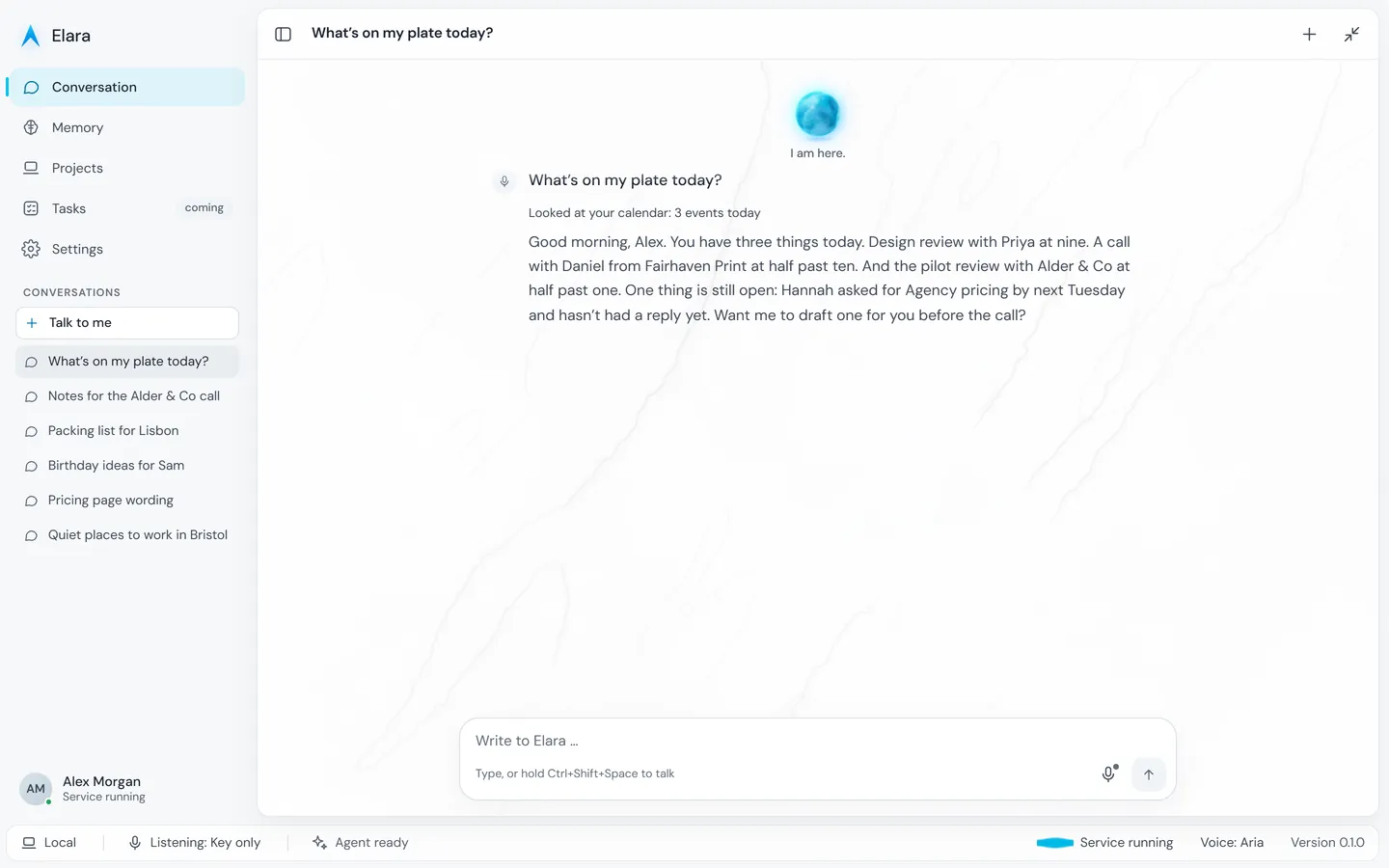
The answer stays in the conversation
You can read it again and ask on. All conversations are in the list on the left.
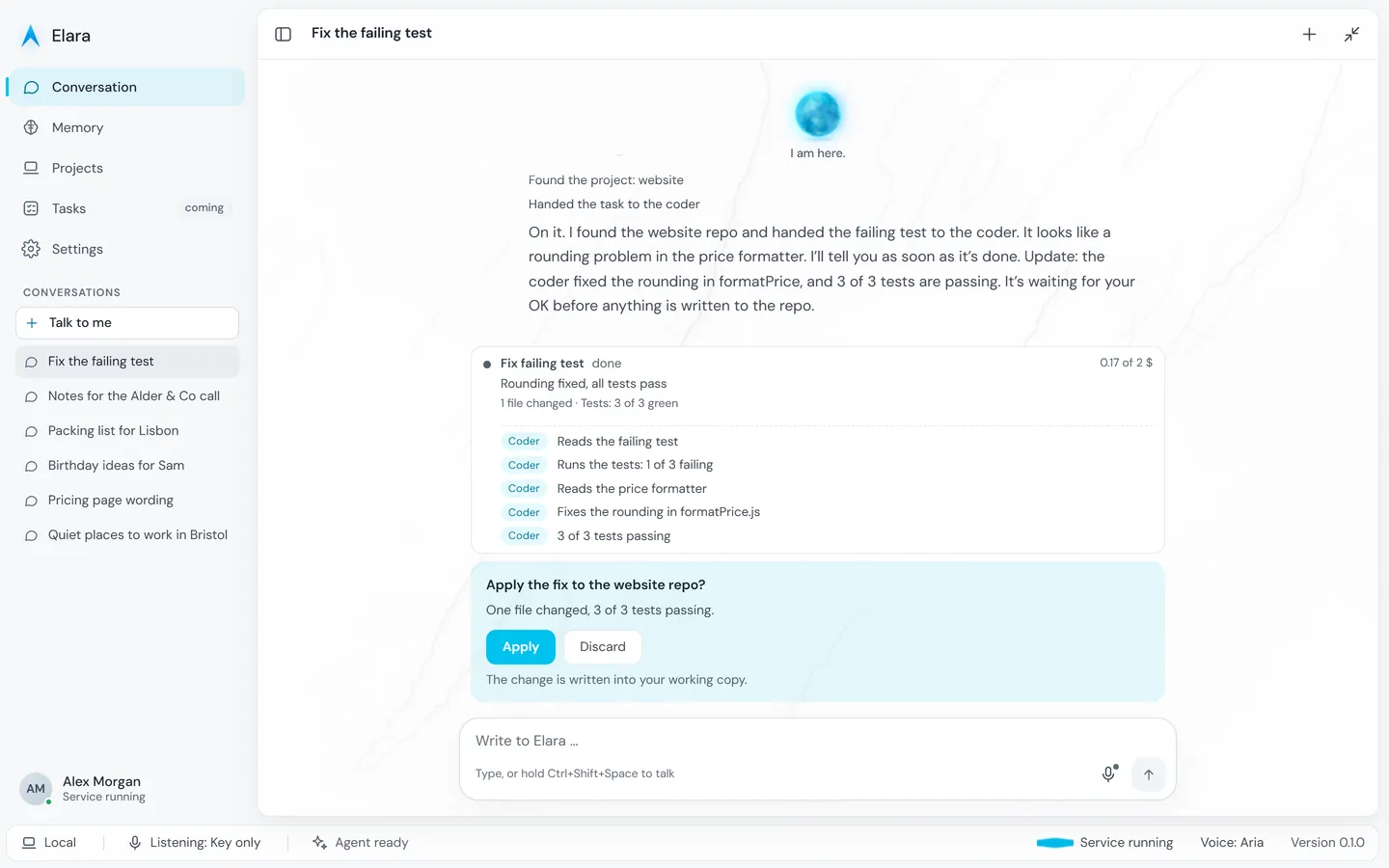
Apply or discard
Before anything reaches the project you see what changes and whether the tests pass. Then you decide.
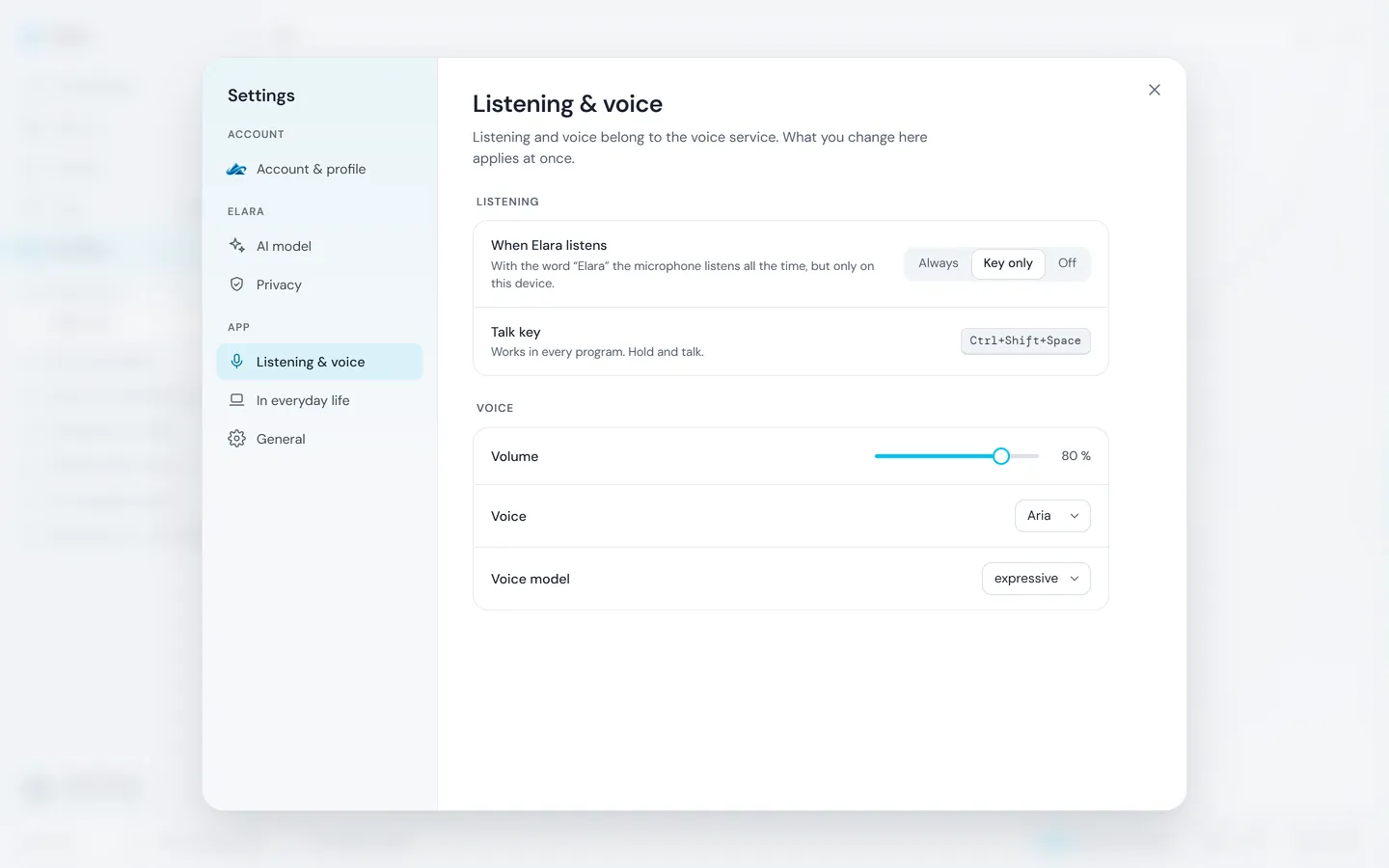
You decide when she listens
Always, key only or not at all. Plus volume and voice.
The real app interface with invented sample data; the answers are scripted. Calendar and mail are listed under “Coming” on this page.
Protected
Placeholders before the AI sees anything.
Names, addresses, IBANs and the like are replaced by placeholders before text goes to an AI model.
The model sees only the placeholders. We request zero data retention; that is the provider's commitment, not a guarantee.
The answer comes back with the real details. This does not catch every name: we measure it and say what we find.
Try Elara?
Create an account. Invited testers have the AI right away; everyone else gets an email when access opens.
The other rooms